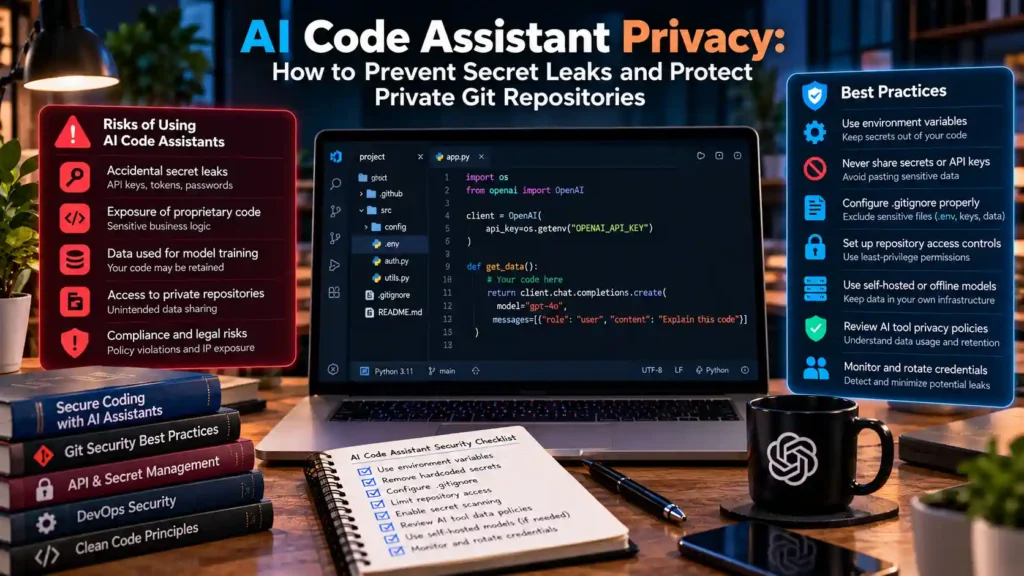
Direct Answer: To protect private Git repositories when using AI coding assistants (such as GitHub Copilot, Cursor, Windsurf, or Claude Code), engineers must implement a four-layer defense: (1) configure repository context-exclusion files (.cursorignore, .aiderignore, and GitHub Copilot Content Exclusions) so .env secrets and keys are never indexed into RAG prompts; (2) enforce automated pre-commit secret scanning with Gitleaks; (3) enable Zero-Data-Retention (ZDR) / Privacy Mode in IDE settings; and (4) route sensitive air-gapped repositories to a local offline LLM.
1. How AI Coding Assistants Ingest Workspace Context (And How Secrets Leak)
Modern AI code editors do much more than read the single file open in your active tab. To provide accurate autocomplete and repository-wide answers, IDE extensions continuously scan open tabs, recent terminal outputs, Git diffs, and workspace indexing databases to assemble a behind-the-scenes prompt context window.
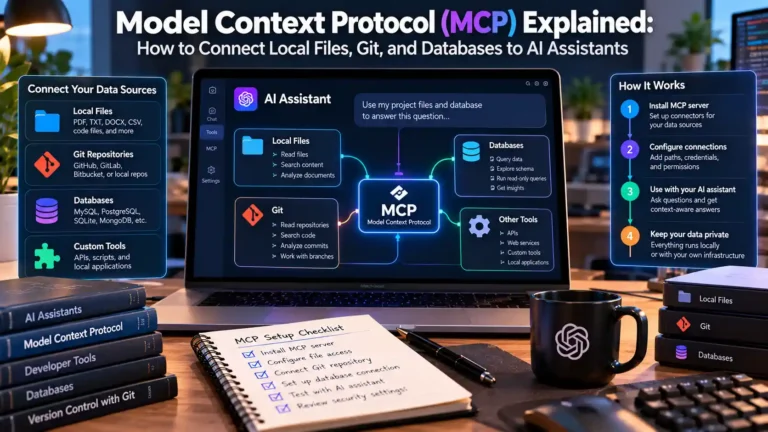
If a developer briefly opens a .env.production file, an AWS credentials JSON file, or a Kubernetes kubeconfig in a side tab while asking the AI assistant a question, the extension’s context gatherer can automatically attach snippets of that credential file to the outbound HTTPS request sent to the cloud model API. Similarly, when scoping allowed directory roots in Model Context Protocol (MCP) servers, granting overly broad directory access can expose local SSH keys (~/.ssh) or cloud CLI tokens (~/.aws).
2. Layer 1: Blocking Secret Files With Context Exclusion Configs
Never rely solely on .gitignore to block AI assistants—many developers intentionally open ignored local .env files in their editor to update environment variables. Place an explicit AI context exclusion file (such as .cursorignore, .codeiumignore, or .aiignore) in the root of every repository:
# .cursorignore / .aiignore — Prevent AI Coding Assistants From Indexing Sensitive Files
.env
.env.*
!.env.example

# Cloud, SSH, and TLS Private Keys
*.pem
*.key
*.p12
*.pfx
id_rsa*
id_ed25519*
kubeconfig*
*credentials*.json
*service-account*.json

# Infrastructure State Files (Often Contain Plaintext Secrets)
*.tfstate
*.tfstate.backup
.terraform/

# Proprietary Customer Dumps & Local SQLite Databases
*.sql
*.dump
*.db
*.sqlite
*.sqlite3
For teams using GitHub Copilot Business or Enterprise, administrators should also configure server-side path exclusions under Repository Settings → Copilot → Content exclusion, which enforces the block centrally across all developer machines.
3. Layer 2: Automated Pre-Commit Secret Scanning With Gitleaks
AI coding tools sometimes generate example test fixtures containing real API keys copied from your environment, or a developer may accidentally stage a configuration file. Installing the open-source Gitleaks scanner as a local Git pre-commit hook ensures that any commit containing a high-entropy secret, AWS key, Stripe token, or private key is blocked locally before git push ever runs:
# 1. Install Gitleaks (Windows Winget or macOS Homebrew)
winget install --id Gitleaks.Gitleaks --exact
# Or on macOS: brew install gitleaks

# 2. Scan your current working tree and staged changes manually
gitleaks protect --verbose --redact --staged

# 3. Audit the entire historical Git commit log of a repository
gitleaks detect --source . --verbose --redact
4. Layer 3: Consumer vs. Enterprise Zero-Data-Retention (ZDR) Policies
Before authorizing an AI assistant on commercial source code, verify how the vendor handles prompt retention and model training:
| Account / Access Tier | Prompt & Code Snippet Retention | Used to Train Future Base Models? | Recommended Security Posture |
|---|---|---|---|
| Consumer Free / Default Plans | Retained in logs unless user explicitly toggles Privacy Mode / Opt-Out | Often Yes by default unless disabled in account privacy settings | Use only for open-source or personal learning projects; verify opt-out toggles immediately. |
| Commercial API Keys (OpenAI API / Anthropic API) | Zero training by default; transient abuse-monitoring logs (typically 30 days, or 0 days with ZDR approval) | No (Per official commercial API terms) | Strong fit for custom IDE extensions (Continue.dev, Cline) on commercial repositories. |
| Enterprise / Business Seats (Copilot Business, Cursor Privacy Mode) | Ephemeral in-memory processing (Zero Data Retention) |
No (Contractually prohibited) | Required standard for regulated enterprise engineering teams. |
5. Layer 4: Connecting VS Code to Local Offline Models for Classified Repos
When working on defense, healthcare, financial, or pre-patent algorithms that cannot leave your workstation under any circumstances, you can still use inline AI autocomplete by routing IDE autocomplete to a local Ollama coding model. Install the open-source **Continue** extension in VS Code or VSCodium and point its config.json strictly to http://127.0.0.1:11434 using qwen2.5-coder:7b or qwen2.5-coder:14b. Explore more programming and developer security tutorials to harden your development stack.
Verified Primary Sources & Official Documentation
| Source Name | Source Type | Supported Technical Claim | Verification Status |
|---|---|---|---|
| Gitleaks Official GitHub Repository | Official Open-Source Security Tool Repository | Supports automated pre-commit detection of hardcoded API keys, tokens, and private keys in Git repositories. | Verified Official Repository URL |
| GitHub Copilot Content Exclusion Documentation | Official Vendor Documentation | Supports repository-level and organization-level path exclusion rules for AI coding assistants. | Verified Official Documentation URL |