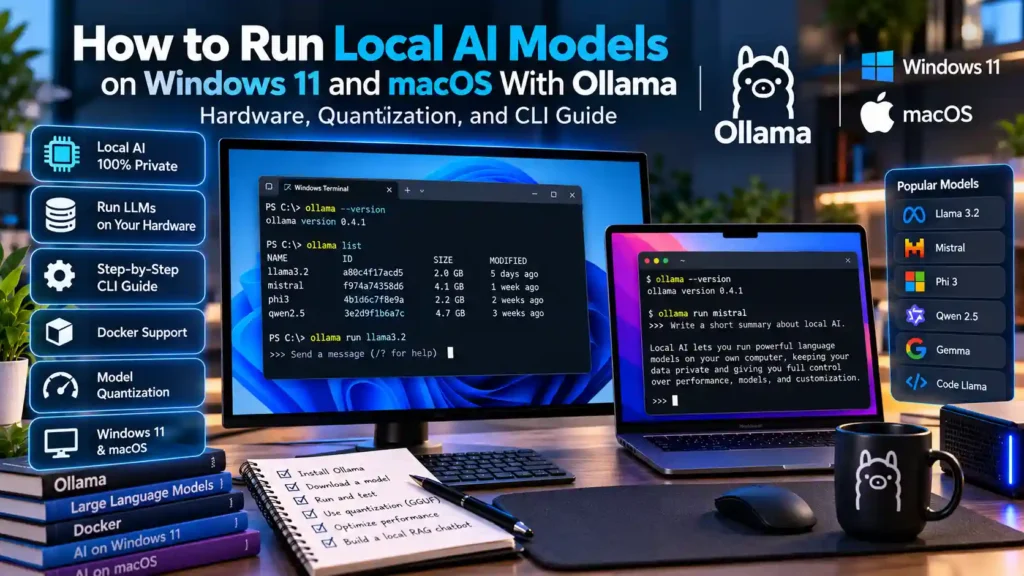
Direct Answer: To run a local LLM on Windows 11 or macOS with Ollama, install the official Ollama runtime, open your terminal, and execute ollama run <model-name> (for example, ollama run llama3.2 or ollama run qwen2.5-coder:14b). Ollama automatically detects NVIDIA CUDA, AMD ROCm, or Apple Silicon Unified Memory, downloads the quantized GGUF model weights, and serves both an interactive CLI and a local OpenAI-compatible REST API on 127.0.0.1:11434 completely offline.
1. Hardware Prerequisites: Exact GPU VRAM and Apple Unified Memory Sizing Table
Before downloading a multi-gigabyte language model, you must match the model’s parameter count to your graphics card’s dedicated Video RAM (VRAM) on Windows 11, or your Unified Memory pool on Apple Silicon Macs (M1, M2, M3, M4). When a model fits entirely inside high-bandwidth GPU memory, generation speeds reach 30–100+ tokens per second; if even 20% of the layers spill over into standard DDR4/DDR5 system RAM over the PCIe bus, generation speed drops dramatically.
| Model Parameter Size | 4-Bit Weight Size (Q4_K_M) | Minimum GPU VRAM / Unified RAM (with 8K Context) | Recommended Hardware Examples | Best Practical Use Cases |
|---|---|---|---|---|
| 3B – 4B Parameters | ~2.0 – 2.6 GB | 4 GB VRAM (8 GB System RAM) | Any modern laptop GPU, Intel Arc, or base 8 GB M1/M2 Mac | Fast offline summarization, grammar editing, lightweight classification |
| 7B – 8B Parameters | ~4.5 – 5.2 GB | 8 GB VRAM (16 GB System RAM) | NVIDIA RTX 3060 / 4060 (8 GB), AMD RX 7600, or 16 GB Apple Silicon Mac | Everyday coding assistant, general Q&A, local RAG chat, JSON extraction |
| 14B Parameters | ~8.5 – 9.2 GB | 12 GB – 16 GB VRAM | NVIDIA RTX 3060 12GB, RTX 4070 Ti Super (16 GB), or 18 GB–24 GB Mac | High-accuracy multi-file coding, complex instruction following, local agents |
| 32B Parameters | ~19.5 GB | 24 GB VRAM | NVIDIA RTX 3090 / 4090 (24 GB) or 32 GB–36 GB Apple Silicon MacBook Pro | Near-frontier reasoning, repository architecture review, private enterprise RAG |
| 70B Parameters | ~40.0 – 42.5 GB | 48 GB+ VRAM / Unified Memory | Dual RTX 3090/4090 (48 GB) or 64 GB+ Mac Studio / MacBook Pro Max | Heavy analytical synthesis, complex multi-step reasoning without cloud APIs |
2. Understanding GGUF Quantization: Q4_K_M vs. Q5_K_M vs. Q8_0
Under the hood, Ollama uses the open-source llama.cpp inference engine and the GGUF file format. Original model weights trained in 16-bit floating point (FP16) require 2 bytes per parameter (meaning an 8B model takes ~16 GB of VRAM before adding any conversation context). Quantization compresses those weights into lower-bit integers with minimal perplexity loss:
Q4_K_M(Default in Ollama): Uses 4-bit k-quantization with higher precision retained on critical attention and feed-forward tensors. This is the optimal balance of speed, memory footprint, and accuracy for 95% of users.Q5_K_M&Q6_K: Recommended for coding models (likeqwen2.5-coder) when you have 2–4 GB of spare VRAM headroom, as code syntax and mathematical reasoning are slightly more sensitive to quantization noise.Q8_0(8-Bit): Virtually indistinguishable from unquantized FP16 weights, but consumes roughly double the VRAM ofQ4_K_M.
3. Step-by-Step Installation on Windows 11 and macOS (Apple Silicon)
Installing on Windows 11 via Winget
On Windows 11, you can install the native Ollama desktop service directly from PowerShell using the official Windows Package Manager:
winget install --id Ollama.Ollama --exactOnce installed, Ollama runs a lightweight background server in your system tray that automatically communicates with your NVIDIA Game Ready / Studio driver (CUDA) or AMD Adrenalin driver (ROCm) without requiring WSL2.
Installing on macOS (Apple Silicon)
On macOS, you can either download the official .dmg app or install via Homebrew. For a complete setup of Apple Silicon developer paths, see our guide to installing and updating CLI tools on Apple Silicon Macs with Homebrew:
brew install --cask ollama4. Essential Ollama CLI Commands and Custom Modelfile Configuration
Open Windows Terminal or macOS Terminal and verify your installation with these core commands:
# 1. Download and start an interactive chat with an 8B model
ollama run llama3.1:8b

# 2. Check whether the model is running 100% in GPU VRAM or spilling into CPU RAM
ollama ps

# 3. List all locally downloaded models and their disk size
ollama list

# 4. Delete an unused model to free NVMe disk space
ollama rm llama3.1:8b
Increasing the Default 2,048-Token Context Window With a Modelfile
By default, Ollama allocates a conservative 2048 token context window (num_ctx) to save VRAM. When pasting source code files or long articles, create a custom Modelfile to lock in a larger 16,384-token context window:
FROM qwen2.5-coder:14b
PARAMETER num_ctx 16384
PARAMETER temperature 0.2
SYSTEM "You are a concise senior systems engineer. Provide verified commands and explain trade-offs clearly."
Build and run your customized local model with:
ollama create mindkoo-coder -f ./Modelfile
ollama run mindkoo-coder
5. Troubleshooting GPU Offloading, Context Spikes, and Port Security
- Verifying 100% GPU Offload (
ollama ps): While a model is active, runollama psin a second terminal window. Look at thePROCESSORcolumn: it should read100% GPU. If it shows65% GPU / 35% CPU, reduce yournum_ctxparameter or switch to a smaller quantization tag. - Enabling Flash Attention & Quantized KV Cache: Set the environment variable
OLLAMA_FLASH_ATTENTION=1andOLLAMA_KV_CACHE_TYPE=q8_0to cut context-window VRAM consumption nearly in half on long prompts. - Network Security (
OLLAMA_HOST): By default, Ollama binds strictly to127.0.0.1:11434so only applications on your own machine can query it. Never setOLLAMA_HOST=0.0.0.0on a public Wi-Fi network without a firewall, as Ollama’s native API does not enforce password authentication by itself. When you are ready to scale beyond the terminal, explore connecting Ollama to Qdrant and Open WebUI for multi-user RAG or exposing local tools via the Model Context Protocol (MCP).
6. Frequently Asked Questions About Running Local Models With Ollama
Does Ollama send any of my prompts or files to the cloud?
No. Once you pull a model (ollama pull), all inference happens 100% locally on your CPU/GPU. You can disconnect your Ethernet cable and turn off Wi-Fi, and ollama run will continue working identically.
Where does Ollama store downloaded model files on disk?
On Windows 11, models are stored in C:\Users\<Username>\.ollama\models. On macOS, they are stored in ~/.ollama/models. You can move this storage folder to a secondary SSD by setting the OLLAMA_MODELS environment variable.
Verified Primary Sources & Official Documentation
| Source Name | Source Type | Supported Technical Claim | Verification Status |
|---|---|---|---|
| Ollama Official GitHub Repository & Documentation | Official GitHub Repository | Supports CLI commands (ollama run, ollama pull, ollama ps), Modelfile syntax, and OLLAMA_HOST environment variables. | Verified Official Repository URL |
| llama.cpp Official GitHub Repository | Official GitHub Repository | Supports GGUF quantization formats (Q4_K_M, Q5_K_M, Q8_0) and KV-cache memory behavior. | Verified Official Repository URL |