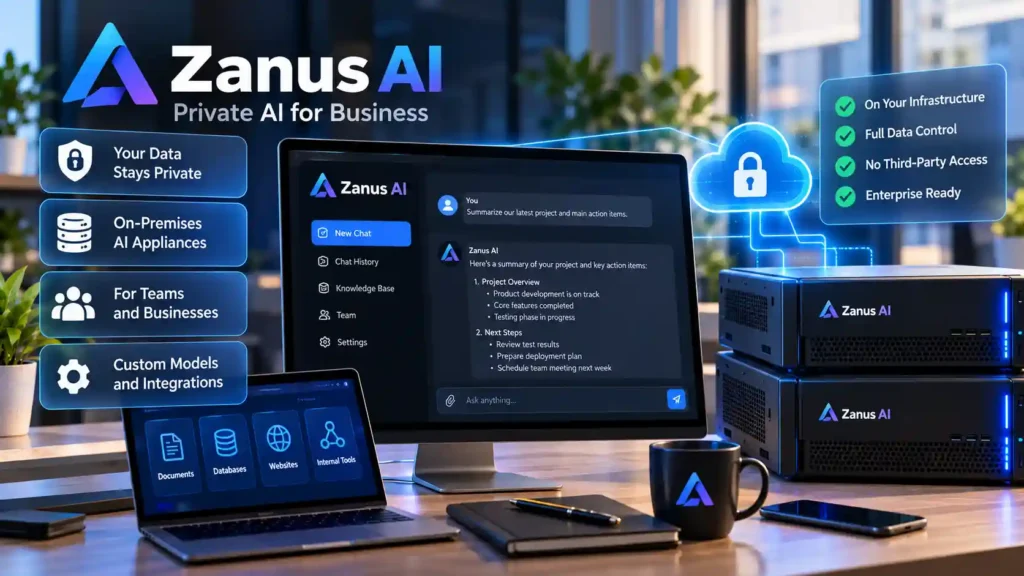
Direct Answer: A private AI chatbot for business—such as the on-premises hardware and software platform developed by Zanus AI—allows organizations to deploy 24/7 conversational AI agents across web chat, phone lines, email, and internal helpdesks without transmitting proprietary company documents or customer records to public cloud Large Language Model (LLM) providers. Unlike cloud wrappers built on shared external APIs, an on-premises AI appliance stores its vector database, knowledge index, and language model weights inside your local network perimeter.
1. What Is Zanus AI and How Do Private Business Chatbots Work?
When IT leaders and operations managers search for private ai chatbot zanus, ai chatbot for business zanus, or zanus ai for business, they are evaluating a specific deployment model: turnkey on-premises business AI. Most commercial AI chatbots operate as cloud Software-as-a-Service (SaaS) subscriptions that forward every user prompt and retrieved document snippet to external multi-tenant servers. For healthcare clinics, legal practices, financial advisors, defense contractors, and manufacturing firms with strict intellectual property rules, sending raw customer records or pricing sheets outside the corporate firewall introduces compliance and data-leakage risk.
Zanus AI addresses this constraint by combining dedicated local compute hardware with a pre-configured software operating environment designed for business automation. Instead of requiring an internal DevOps team to assemble Linux GPU servers, container orchestrators, and vector databases from scratch, the platform operates as a local AI appliance that indexes approved internal sources—such as PDFs, standard operating procedures (SOPs), product catalogs, and CRM records—directly on-site.
How Local Retrieval-Augmented Generation (RAG) Prevents Hallucinations
A business chatbot should never guess company policies or invent product specifications from pre-trained internet data. Both turnkey appliances like Zanus AI and custom enterprise deployments rely on Retrieval-Augmented Generation (RAG):
- Document Ingestion & Chunking: Internal documents (manuals, policies, support tickets, and spreadsheets) are parsed and split into semantic segments inside the local appliance.
- Local Vector Embeddings: An embedding model converts each text segment into a high-dimensional numerical vector stored in a local vector index.
- Grounded Generation: When a customer or employee asks a question, the system retrieves only the highest-scoring verified passages from the local database and instructs the local LLM to synthesize an answer strictly from those retrieved facts.
2. Architectural Comparison: Zanus AI Appliance vs. Cloud SaaS vs. DIY Self-Hosted RAG
Before selecting a private AI chatbot platform, IT decision-makers should compare the three primary deployment architectures across data residency, upfront vs. recurring cost, and engineering maintenance:
| Evaluation Criterion | Turnkey On-Premises Appliance (e.g., Zanus AI) | Cloud SaaS Business Chatbots (Intercom, Custom GPTs) | DIY Self-Hosted Open-Source Stack (Docker + Ollama/vLLM + Qdrant) |
|---|---|---|---|
| Data Residency & Privacy | 100% On-Premises; prompts, voice transcripts, and indexed files remain inside the local LAN. | Cloud-hosted; prompts and retrieved context traverse external vendor APIs. | 100% On-Premises or Private VPC controlled entirely by your internal IT team. |
| Cost Structure | Hardware/appliance investment + predictable local maintenance; no per-token API fees. | Low initial setup, but recurring per-seat and per-resolution/per-token costs scale rapidly with volume. | Zero software licensing fees; requires GPU server hardware and ongoing DevOps engineering hours. |
| Deployment Complexity | Low — Pre-integrated hardware and software UI designed for non-ML business teams. | Very Low — Browser-based setup in hours. | High — Requires configuring Linux, CUDA drivers, Docker containers, chunking pipelines, and RBAC. |
| Omni-Channel Integration | Built-in workflows for web chat, phone/voice call handling, email triage, and form capture. | Primarily focused on web chat widgets and helpdesk ticket deflection. | Requires custom integration code (e.g., Twilio SIP, Whisper STT, TTS, and custom webhook bridges). |
| Best Fit For | SMBs and mid-market enterprises needing strict local privacy without hiring dedicated ML engineers. | Startups and marketing teams handling only public, non-sensitive FAQ content. | Organizations with in-house Linux/DevOps engineers who want full control over open-weight models. |
If your organization has an internal Linux engineering team and prefers to build a custom stack from open-source components, see our step-by-step engineering tutorial on building a self-hosted RAG chatbot with Docker and Qdrant.
3. Core Business Capabilities: Website Chat, Voice Agents, and Internal Knowledge Search
Independent research into Zanus AI’s platform positioning highlights that modern business AI deployments extend beyond a simple website pop-up widget. A comprehensive private business AI system typically serves four operational roles:
- 24/7 Multilingual Customer Web Chat: Answering product availability, technical specifications, and onboarding questions in multiple languages using verified company documentation rather than generic web training data.
- Automated Voice and Phone Reception: Pairing local Speech-to-Text (STT) and Text-to-Speech (TTS) pipelines with the local knowledge base so incoming phone inquiries can be answered, routed, or logged without cloud call-recording exposure.
- Email and Lead Intake Triage: Parsing incoming web forms and support emails, drafting context-aware responses grounded in internal policy documents, and flagging urgent escalations for human staff.
- Internal Employee Knowledge Assistant & Quoting: Allowing sales engineers, technicians, and HR staff to query internal SOPs, maintenance manuals, and pricing sheets safely. For teams specifically investigating automated sales quoting, read our dedicated guide on evaluating Zanus AI for Configure, Price, Quote (CPQ) sales automation.
4. Data Privacy, Compliance, and OWASP LLM Security Controls
Deploying an AI chatbot on local hardware eliminates third-party cloud API exposure, but IT administrators must still configure internal access controls properly. According to the NIST AI Risk Management Framework (AI RMF 1.0) and the OWASP Top 10 for Large Language Model Applications, every private business chatbot deployment must enforce three security boundaries:
1. Strict Separation Between Public and Internal Knowledge Indexes
Never connect a public-facing website chatbot to the same vector collection that holds internal HR policies, executive financials, or confidential client contracts. Even on-premises appliances must maintain separate, isolated knowledge bases: a Public Customer Index (containing only approved marketing, support, and public product documentation) and an Authenticated Internal Index protected by employee Single Sign-On (SSO) and Role-Based Access Control (RBAC).
2. Mitigating Indirect Prompt Injection (OWASP LLM01)
If an AI agent automatically reads incoming external emails or web forms and has permission to trigger internal actions (such as updating a CRM record or emailing a document), an attacker could embed hidden instructions inside an email body. Always require human-in-the-loop approval before a chatbot executes state-changing actions or sends outbound external communications.
3. Local Audit Logging and Source Attribution
Configure your business chatbot to display explicit document citations (file name and section title) alongside every internal answer. This allows employees to verify accuracy in seconds and enables administrators to spot outdated SOP documents that need revision.
5. Step-by-Step Buyer & IT Evaluation Checklist
Before purchasing or deploying Zanus AI or any on-premises business chatbot system, run through this 5-step technical verification checklist with your team:
- Audit Your Source Document Quality: Gather 20–50 of your most frequently referenced PDFs, manuals, and FAQ sheets. Remove outdated versions—RAG chatbots are only as accurate as the documents you feed them.
- Define Concurrency and Latency Targets: Estimate how many simultaneous users (website visitors + internal staff + voice callers) will query the appliance during peak business hours.
- Verify Network Air-Gap and Update Procedures: Confirm whether the appliance can operate on an isolated VLAN without outbound internet access, and how firmware or model weight updates are verified and applied.
- Test Multi-Turn Edge Cases: During your proof-of-concept demo, test whether the chatbot politely declines to answer out-of-scope questions (such as legal advice or competitor pricing) rather than guessing.
- Compare Total Cost of Ownership (3-Year TCO): Weigh the turnkey appliance cost against cloud token projections and the internal engineering time required for a DIY open-source build. Browse more enterprise AI tools and automation guides to compare deployment options.
6. Frequently Asked Questions About Zanus AI and Private Business Chatbots
What is Zanus AI?
Zanus AI is a private, on-premises artificial intelligence platform designed for businesses. It combines local hardware and software to run 24/7 AI chatbots, voice agents, and internal document assistants inside a company’s own facility without sending proprietary data to public cloud LLMs.
Why did we consolidate “private ai chatbot zanus”, “ai chatbot for business zanus”, and “zanus ai for business” into one guide?
All three search queries refer to the exact same platform and deployment architecture. Covering them in one comprehensive technical resource gives readers the complete architectural picture—covering privacy, business channels, and cost trade-offs—in a single place.
Does a private on-premises AI chatbot require an internet connection?
For internal employee knowledge search over local LAN documents, an on-premises LLM appliance can run completely offline (air-gapped). If you connect the chatbot to your public company website or cloud VoIP phone trunk, only the specific web widget or SIP voice gateway port needs controlled network routing through your firewall.
Verified Primary Sources & Official Documentation
| Source Name | Source Type | Supported Technical Claim | Verification Status |
|---|---|---|---|
| Zanus AI Official Platform Overview | Official Product Website | Supports that Zanus AI provides an on-premises, private AI business system and multi-channel chatbot/voice agent platform. | Verified via live web search (2026-10-27) |
| NIST AI Risk Management Framework (AI RMF 1.0) | Government Technical Standard | Supports enterprise governance, data residency, and third-party model risk controls when deploying business AI systems. | Verified Official Standard URL |
| OWASP Top 10 for Large Language Model Applications | Security Standards Organization | Supports mitigation guidance for prompt injection (LLM01) and sensitive information disclosure (LLM06) in business chatbots. | Verified Official Standard URL |