Editorial & Financial Disclaimer: This article is for informational and cybersecurity education purposes only and does not constitute financial, investment, legal, or tax advice. Cryptocurrency trading and custody involve significant risk. Always verify security announcements directly through official platform channels.
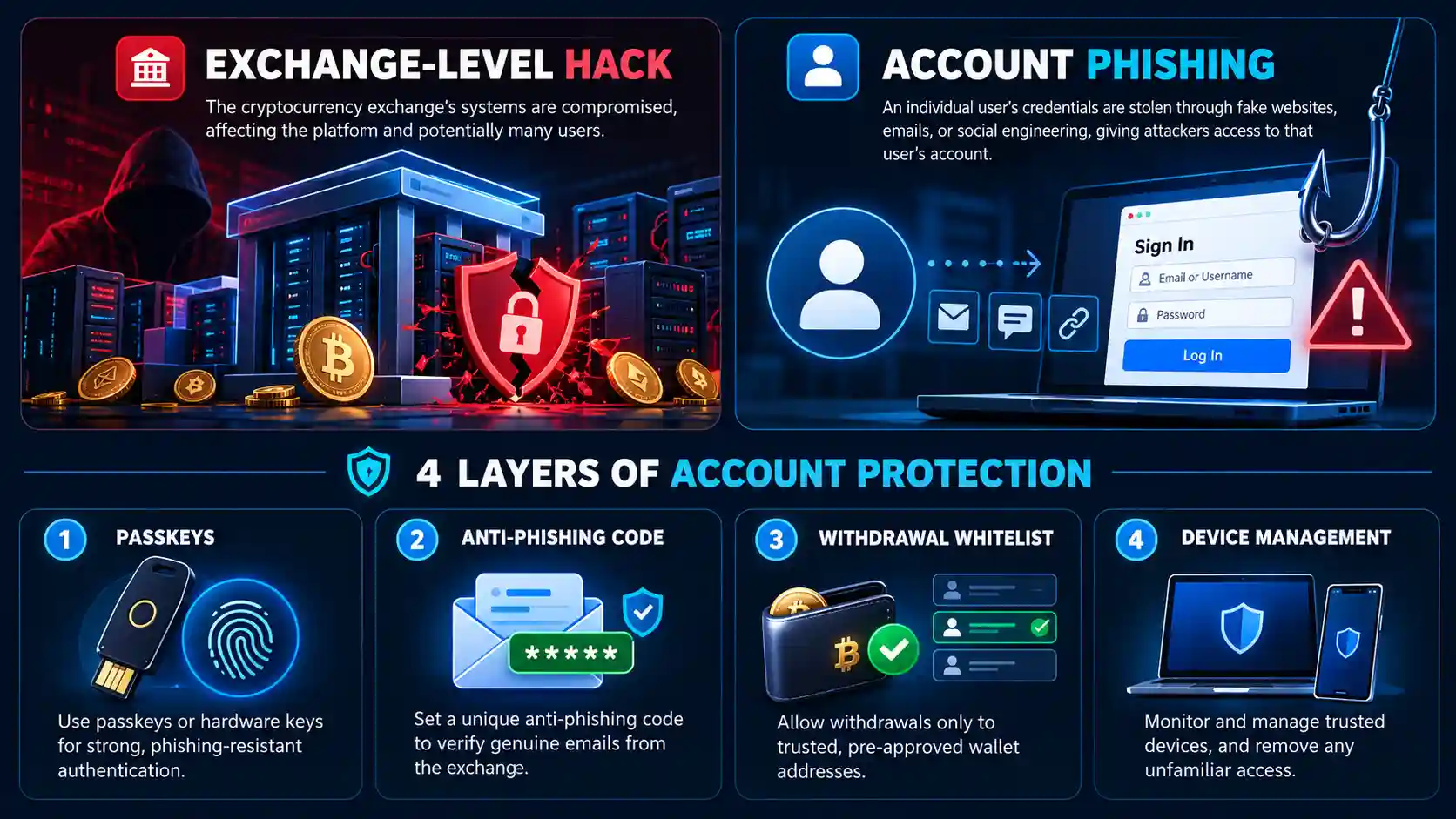
Quick Answer (Verified October 30, 2026): Yes—on October 30, 2026, global cryptocurrency exchange Binance (Binance.com) officially confirmed a major security incident that occurred on October 29, 2026, at approximately 20:05 UTC, involving roughly $6.3 billion in unauthorized outflows from platform hot wallets. According to Binance’s official Security Incident Update, no wallet private keys were leaked, approximately $3 billion in affected assets have already been frozen on-chain with industry partners, and 100% of user funds are covered by Binance’s Secure Asset Fund for Users (SAFU) and corporate reserves. For American readers, Binance.US—which operates as an independent legal and technical entity in the United States—confirmed that its infrastructure and customer assets were not affected.
Whenever searches for “Binance hack” or “crypto hack” surge across the United States, cryptocurrency holders face two immediate risks: the technical reality of an exchange incident, and a secondary wave of opportunistic phishing scams targeting panicked users. Below, we break down the verified facts from primary sources, how exchange breaches differ from individual account takeovers, and the exact security controls you should enable today.
Is Binance Hacked? Latest Security Updates (October 2026)
Date of Research & Verification: October 30, 2026.
Verified Facts: The October 29–30, 2026 Binance.com Hot-Wallet Incident
On October 30, 2026, Binance published its official Security Incident Update and follow-up operational bulletin via the Binance Support Announcements portal, confirming a serious security breach affecting its global platform’s hot wallets (internet-connected wallets used to process routine customer withdrawals). Based on primary disclosures from Binance and independent cybersecurity reporting from Cybersecurity Dive, The Record, and blockchain intelligence firm TRM Labs, here are the verified facts:
- When It Happened: Unauthorized outflows began on October 29, 2026, at approximately 20:05 UTC, with the bulk of the transactions occurring across roughly a 20-to-30-minute window.
- Estimated Scale: Approximately $6.3 billion USD in digital assets across multiple blockchains (including Ethereum, Bitcoin, Solana, BNB Chain, and XRP Ledger) were moved out of Binance hot wallets.
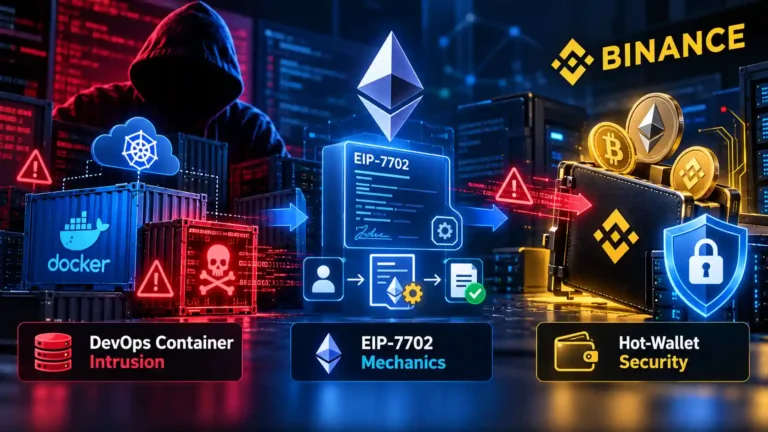
- How the Breach Occurred (Preliminary Findings): Binance stated in its initial findings that the attack appeared to involve a compromised DevOps engineer’s laptop, which enabled the attacker to access an internal service container and submit unauthorized withdrawal transactions. Subsequent investigation noted a sophisticated, multi-point intrusion. Crucially, Binance confirmed it found no evidence of any wallet private key leak from cold storage.
- On-Chain Asset Freezes: Working with law enforcement, blockchain analytics firms, and major stablecoin issuers (such as Tether and Circle), approximately $3 billion of the affected assets were rapidly frozen on-chain.
- User Fund Protection (SAFU & Corporate Reserves): Binance explicitly stated that user funds are safe and that the company—not users—will absorb 100% of the financial impact using its Secure Asset Fund for Users (SAFU) and corporate treasury. In its second update on October 30, 2026, Binance reported setting aside over $6.34 billion in company reserves (including $5 billion already held in the exact impacted tokens) to back customer balances in full, alongside a commitment to publish an updated Proof of Reserves and a full technical post-mortem.
- Temporary Withdrawal Pause: As a standard containment measure, Binance temporarily suspended platform withdrawals while revoking affected authorizations and auditing internal infrastructure, with withdrawals scheduled to resume in phases.
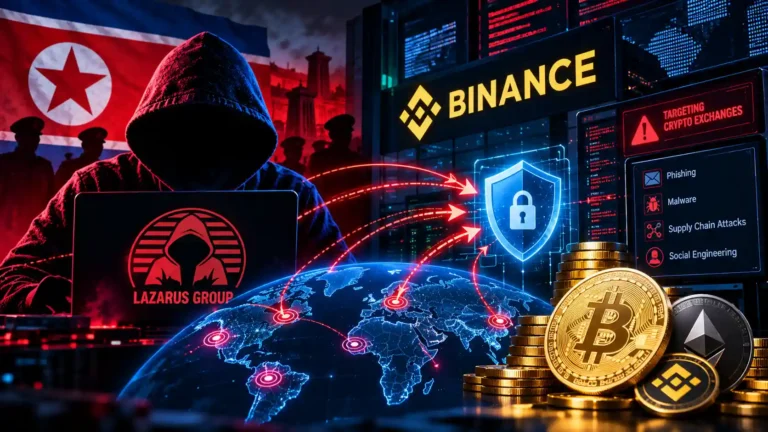
- Threat Actor Attribution: Blockchain intelligence analysts at TRM Labs, Chainalysis, and Elliptic attributed the attack with high confidence to TraderTraitor (a North Korean state-sponsored cyber group affiliated with the Lazarus Group and tracked by US authorities in CISA Joint Cybersecurity Advisory AA22-108A).
What This Means for US Users (Binance.com vs. Binance.US)
If you live in the United States, it is essential to distinguish between the global exchange (Binance.com) and the US platform (Binance.US):
- Binance.com does not serve retail residents of the United States.
- Binance.US (operated by BAM Trading Services Inc.) is a legally and operationally separate entity with segregated wallet infrastructure. Following the October 29, 2026 incident on
Binance.com, Binance.US confirmed that its platform, systems, and customer assets were not affected. - Why US Readers Still Need to Be Alert: Whenever a major cryptocurrency exchange makes headlines, cybercriminals immediately launch mass SMS (“smishing”) and email phishing campaigns targeting US phone numbers and email addresses, falsely claiming that recipients must “verify their wallet” or “claim a SAFU refund.”
Historical Context: Previous Confirmed Security Incidents
Prior to October 2026, two major historical security events involving Binance or its broader blockchain ecosystem were frequently cited when users searched for a “Binance hack”:
- May 7, 2019 Exchange Hot-Wallet Breach (7,000 BTC): Attackers used a coordinated combination of phishing, malware, and stolen API/2FA credentials to withdraw 7,000 Bitcoin (worth roughly $40 million at the time, or about 2% of Binance’s BTC holdings) in a single transaction from a hot wallet. As documented in Binance’s official incident report, Binance covered the entire loss through its SAFU insurance fund, and no individual user lost funds.
- October 6–7, 2022 BNB Smart Chain Bridge Exploit ($570 Million): An attacker exploited a cryptographic proof-verification bug in the BSC Token Hub cross-chain bridge to mint 2 million BNB tokens out of thin air. This was a decentralized blockchain bridge exploit rather than a breach of Binance exchange customer accounts; network validators halted the chain within hours and froze the vast majority of the forged funds.
Exchange Breach vs. Individual Account Hack vs. Phishing Scam
In everyday conversation, people call every lost crypto balance a “hack.” In cybersecurity, however, four completely different incidents get lumped together—and knowing which one you are dealing with determines whether your funds are insured by the exchange or at personal risk:
| Incident Type | Who Was Compromised? | How It Typically Happens | Are Individual User Balances Covered by the Exchange? |
|---|---|---|---|
| 1. Confirmed Exchange Security Breach | The cryptocurrency exchange’s own infrastructure or hot wallets | Internal server/container intrusion, supply-chain compromise, or hot-wallet authorization exploit (e.g., May 2019 or October 2026 Binance.com incidents). |
Yes, historically covered via Binance’s SAFU fund and corporate treasury so individual account balances remain intact. |
| 2. Individual Account Compromise | A single customer’s login session, email, or API key | Password reuse from another breached site, SIM-swapping a phone number, info-stealer malware on a personal PC, or leaked API keys. | Generally no. Because the attacker authenticated using the victim’s own credentials, recovery is not guaranteed. |
| 3. Phishing Attack Targeting Exchange Users | A user tricked by a spoofed website, email, or SMS | Fake search ads, look-alike login domains, or texts claiming “Unauthorized withdrawal from Warsaw—call this number or click here to cancel.” | No. Once a user hands login codes or withdrawal approvals to an impersonator, on-chain transfers cannot be reversed by the exchange. |
| 4. External Cryptocurrency Scam | A user tricked into sending crypto off-platform | Romance/investment scams (“pig butchering”), fake celebrity YouTube giveaways, malicious Web3 wallet drainers, or fake “crypto recovery” firms. | No. The exchange processed a voluntary withdrawal authorized by the account holder; blockchain transfers are final. |
What Is Binance? (And Why People Search for “Binance Stock”)
Binance, founded in 2017, is the world’s largest cryptocurrency exchange by daily trading volume. A cryptocurrency exchange is a digital marketplace where users can buy, sell, swap, and store cryptocurrencies such as Bitcoin (BTC), Ethereum (ETH), and stablecoins (digital tokens pegged to traditional currencies like the US dollar, such as USDT and USDC).
Beyond basic spot trading, the broader Binance ecosystem includes custodial wallets, institutional brokerage services, educational resources (Binance Academy), and community development support for the BNB Chain blockchain network. As noted earlier, global Binance.com operates outside the United States, while US-based retail customers use the separate Binance.US platform or other US-regulated exchanges.
Why do searches for “Binance stock” spike during crypto news events? Many traditional investors searching for “Binance stock” want to know if a security incident is affecting a publicly traded share price on the New York Stock Exchange (NYSE) or Nasdaq. Binance is a privately held company—it does not have a public stock or ticker symbol. Users searching for Binance’s market value are often confusing company equity with BNB, the native cryptocurrency token used to pay transaction fees on the Binance exchange and the BNB Smart Chain.
How Do Binance and Cryptocurrency Hacks Happen?
While state-sponsored groups occasionally target exchange infrastructure, the overwhelming majority of everyday readers who lose funds lose them through individual account compromises and social engineering. Here are the seven primary attack vectors used by cybercriminals:
1. Phishing Websites, Spoofed Search Ads, and “Smishing” Texts
Phishing is the practice of impersonating a trusted company to steal login credentials. Attackers register look-alike domains (such as substituting a Cyrillic letter or adding a hyphen like binance-security-alert.com) or send urgent SMS text messages (smishing) stating: “Binance Security Alert: A new device logged in from Amsterdam. If this was not you, call +1-888-XXX-XXXX or visit [link] immediately.” If you log in on the fake page or read your verification code to the caller, the attacker hijacks your real account in real time.
2. Fake Customer Support Accounts on Social Media
Whenever a user posts a question about a delayed withdrawal on X (formerly Twitter), Reddit, Discord, or Telegram, automated bots reply within seconds pretending to be “Binance Official Help Desk.” Real Binance and Binance.US support agents will never initiate private direct messages (DMs) on social media, ask for your password or 6-digit verification codes, or instruct you to install remote-desktop software like AnyDesk or TeamViewer.
3. Stolen Passwords and Credential Stuffing
If you use the same email address and password on a crypto exchange that you used on a retail website or forum that suffered a data breach years ago, attackers use automated software to test those leaked combinations across major exchanges—a technique called credential stuffing.
4. Info-Stealer Malware and Compromised Devices
Downloading pirated software, fake browser extensions, malicious game mods, or trojanized PDF attachments can infect your computer with info-stealer malware (such as RedLine, Lumma, or Vidar). This malware silently steals saved browser passwords, hijacks active login session cookies (bypassing password prompts), or runs a clipboard hijacker that watches your copy-paste clipboard and swaps a legitimate cryptocurrency wallet address with the hacker’s address the moment you press Ctrl + V.
5. SIM-Swapping Attacks
In a SIM-swap attack, a criminal tricks or bribes a mobile carrier representative into transferring your phone number to a SIM card controlled by the attacker. Once your phone loses cellular service, the attacker receives all of your SMS text messages—allowing them to intercept SMS-based two-factor authentication (2FA) codes and password-reset links.
6. Social Engineering and “Pig Butchering” Scams
The FBI Internet Crime Complaint Center (IC3) consistently ranks cryptocurrency investment fraud as the costliest category of online crime in the United States. In these long-con schemes, scammers build trust over weeks via wrong-number texts, dating apps, or professional networks before guiding the victim to buy legitimate crypto on an exchange and transfer it to a fraudulent “high-yield trading platform” that displays fabricated profits until the victim tries to cash out.
7. Compromised API Keys
An Application Programming Interface (API) key allows third-party software—such as portfolio trackers or automated trading bots—to interact with your exchange account. If a user grants “Enable Withdrawals” permission to an API key and that third-party service is breached (or a developer accidentally uploads their .env file to a public GitHub repository), attackers can drain the account programmatically—or even execute wash trades using illiquid trading pairs.
How to Protect Your Binance Account: 8 Verified Security Controls
You do not need to be a cybersecurity engineer to lock down your exchange account against unauthorized access. Both Binance and security agencies like CISA recommend configuring layered defenses inside your Profile → Security dashboard before depositing or trading funds:
1. Upgrade From SMS 2FA to Phishing-Resistant Passkeys or an Authenticator App
Because SMS text messages are vulnerable to SIM-swapping and interception, never rely on SMS as your primary two-factor authentication method. Instead:
- Enable Passkeys (Strongest Option): Binance supports FIDO2/WebAuthn Passkeys under Profile → Security → Passkeys. A passkey uses public-key cryptography stored inside your device’s secure hardware chip (such as Windows Hello TPM 2.0, Apple Face ID/Touch ID, or a physical YubiKey). Because passkeys are mathematically bound to the exact official domain name, they cannot be phished—even if a fake website looks identical to Binance, your device will refuse to sign the login challenge. For a deep dive into how hardware-backed passkeys work on desktop PCs, read our guide on how to set up and manage passkeys on Windows 11 with TPM 2.0.
- Use an Authenticator App: Pair passkeys with a Time-Based One-Time Password (TOTP) app such as Binance Authenticator or Google Authenticator, which generates offline 6-digit codes every 30 seconds.
2. Set Up Your Custom Anti-Phishing Code
Inside Profile → Security → Anti-Phishing Code, Binance lets you create a personalized secret string of letters and numbers (for example, an 8-character code known only to you). Once activated, Binance automatically embeds your exact Anti-Phishing Code at the top of every genuine email and SMS it sends you. If you receive an urgent security email claiming to be from Binance that is missing your Anti-Phishing Code—or displays the wrong code—delete it immediately; it is a confirmed phishing fake.
3. Turn On Withdrawal Whitelist (Address Management)
Found under Profile → Security → Withdrawal Whitelist (detailed in Binance Support’s official withdrawal settings documentation), this single toggle prevents an attacker from sending your crypto to an unknown wallet—even if they somehow steal your password. When enabled, your account can only withdraw funds to wallet addresses you have pre-approved in your Address Book, and adding a new address requires multi-factor verification and can be configured with a mandatory 24-to-48-hour security hold.
4. Use a Unique Password and Secure Your Registered Email
Your crypto exchange account is only as secure as the email inbox attached to it. Use a password manager to generate a unique, 16+ character password for your exchange account and a separate unique password for your email account, and protect your email inbox itself with a hardware security key or passkey.
5. Verify Links and Contacts With “Binance Verify”
Bookmark the official exchanges you use instead of clicking Google Search ads. If anyone contacts you via email, phone, Telegram, or X claiming to represent Binance, paste the URL, email address, or handle into the official Binance Verify tool (binance.com/en/official-verification) to check whether the source is genuine.
6. Audit Active Devices and Lock Down Your Endpoint Hardware
Open Profile → Security → Devices and Activities (Device Management) once a month and remove any old phones, tablets, or unrecognized browsers. Equally important, protect the computer or laptop you use to access financial accounts: enable full-disk encryption (see our guide to checking Windows 11 BitLocker encryption and backing up your 48-digit recovery key) and use an encrypted tunnel when traveling on untrusted networks (see our engineering comparison of WireGuard vs. OpenVPN protocol security).
7. Revoke Unused API Keys and Restrict IP Access
If you do not actively use automated trading bots or tax-reporting APIs, delete all API keys under Profile → Account → API Management. If you do use an API key, never enable withdrawal permissions unless strictly required, restrict the key to specific trusted IP addresses, and ensure developer tools never upload your secret keys to cloud servers—a risk we detail in our guide on preventing secret leaks in private Git repositories.
8. Consider Self-Custody (Hardware Wallets) for Long-Term Holdings
Centralized exchanges are built for active trading and liquidity, not decades-long storage. For cryptocurrency you plan to hold long term, consider moving funds to a cold-storage hardware wallet (where your private keys remain offline on a dedicated physical device) while keeping your recovery seed phrase written on paper or stamped in metal—never photographed or saved in cloud notes.
What Should You Do If Your Binance Account Is Hacked? (7-Step Emergency Checklist)
If you receive an unexpected withdrawal alert, notice unfamiliar trades, or suspect an attacker has gained access to your individual Binance or Binance.US account, every minute counts. Follow this exact 7-step emergency response checklist in order:
- Step 1: Secure Your Associated Email Account First. If an attacker has access to your email inbox, they can intercept password resets and see every security notification you trigger. From a clean device (such as your smartphone on cellular data if you suspect your PC has malware), change your email password, check your email settings to delete any hidden auto-forwarding rules or inbox filters the hacker may have created to hide Binance alerts, and log out all other email sessions.
- Step 2: Immediately Freeze Your Account Using “Disable Account.” Do not waste time investigating before stopping the bleeding. Log in through the official app or website and trigger the self-service emergency freeze:
- On the Binance Website: Go to Profile → Security → Devices and Activities → Disable Account, then click Disable this account.
- In the Binance App: Go to Profile → Security → Manage Account → Disable Account and confirm.
Disabling your account immediately halts all pending withdrawals, cancels open orders, disables trading, deletes API keys, and terminates every active login session across all devices.
- Step 3: Change Compromised Passwords from a Clean Device. Once your email is secure and your account is frozen (or if you still have active access), reset your exchange login password to a brand-new, randomly generated passphrase. Never type your new password on a computer you suspect may be infected with keylogger or info-stealer malware.
- Step 4: Revoke Unrecognized Sessions, Devices, and API Keys. Navigate to Security → Device Management and remove every unrecognized computer or phone. Next, inspect API Management and delete all API keys to sever any automated backdoors.
- Step 5: Contact Official Support Immediately. Open a case strictly through the official Binance Support Center (or the verified in-app chat inside Binance / Binance.US). Provide the exact timestamps of the unauthorized activity so the exchange’s security team can flag the recipient addresses if the stolen funds pass through compliant centralized exchanges.
- Step 6: Preserve All Forensic Evidence. Before closing windows or clearing histories, save screenshots and plain-text copies of:
- The Transaction IDs (TxID / Transaction Hashes) of any unauthorized withdrawals.
- The external recipient wallet addresses and blockchain networks used.
- Login IP addresses and device timestamps from your account activity log.
- Full email headers, SMS phone numbers, or phishing URLs if you were targeted by a scam.
- Step 7: Report the Incident to Official US Authorities. If funds were stolen, file an official report with the FBI Internet Crime Complaint Center (IC3) at
ic3.gov(including the exact TxIDs and wallet addresses), submit a fraud report to the Federal Trade Commission (FTC) atReportFraud.ftc.gov, and file a local police report (which you will also need for tax documentation or law enforcement subpoenas).
Critical Warning: Irreversible Transactions and “Crypto Recovery” Scammers
Unlike credit card fraud or unauthorized bank wire transfers, cryptocurrency transactions confirmed on a public blockchain are cryptographically final and generally irreversible. Unless stolen funds are quickly frozen by a centralized stablecoin issuer (such as Tether or Circle during a major law enforcement action) or intercepted when deposited into a regulated exchange, nobody can simply “undo” a blockchain transfer.
Beware of Recovery Scammers: Within hours of posting about a hacked crypto account on Reddit, X, or Facebook, you will be contacted by self-proclaimed “blockchain forensic hackers,” “ethical recovery specialists,” or fake government/law-firm accounts claiming they have located your stolen crypto and can retrieve it for an upfront fee, “software license cost,” or “smart-contract release tax.” Every single upfront-fee crypto recovery offer is a secondary scam designed to steal money from victims a second time. Neither Binance, the FBI, nor legitimate blockchain analytics firms charge retail victims upfront fees via WhatsApp, Telegram, or crypto transfers to unlock stolen funds.
How to Stay Informed About Binance Security News Without Falling for Scams
During breaking security events—such as the October 29–30, 2026 hot-wallet incident—misinformation spreads faster than verified facts. Scammers routinely circulate doctored screenshots, AI-generated deepfake videos of exchange executives, and fake “SAFU compensation claim portals” that drain any Web3 wallet you connect. To verify news safely:
- Check Primary Official Channels First: Always verify platform status and security bulletins directly at binance.com/en/support/announcement or the official Binance Blog—typing the domain directly into your browser rather than clicking social media replies.
- Never Connect a Wallet to “Claim” a Security Refund: When Binance covers exchange-level losses through its SAFU fund, adjustments are handled internally within user accounts. Binance will never ask you to connect a MetaMask, Trust Wallet, or hardware wallet to an external website to “claim SAFU reimbursement” or “migrate tokens to a safe contract.”
- Watch Out for AI Deepfake Video Scams: Fraudsters frequently livestream manipulated videos of crypto executives on YouTube and X promising to “double your crypto” or distribute emergency security airdrops. Learn how cryptographic media provenance works in our technical guide on how to verify AI-generated images and audio using C2PA Content Credentials.
- Cross-Reference With Reputable Cybersecurity Publications: Before acting on a viral social media rumor, confirm whether established cybersecurity and financial news desks—such as CISA, BleepingComputer, The Record, Cybersecurity Dive, or Reuters—have independently verified the incident.
Frequently Asked Questions (FAQ)
Has Binance been hacked recently?
Yes. As verified on October 30, 2026, global cryptocurrency exchange Binance (Binance.com) confirmed a major security incident that took place on October 29, 2026 (around 20:05 UTC), involving approximately $6.3 billion in unauthorized withdrawals from platform hot wallets. According to Binance’s official Security Incident Update, no wallet private keys were leaked, roughly $3 billion of the affected funds were frozen on-chain with industry partners, and Binance committed to covering 100% of losses using its Secure Asset Fund for Users (SAFU) and corporate reserves. Separately, Binance.US (the independent entity serving US residents) confirmed its platform and customer funds were not affected.
Is Binance safe to use?
Binance provides industry-standard account security controls—including phishing-resistant FIDO2 Passkeys, Authenticator 2FA, custom Anti-Phishing Codes, Withdrawal Whitelisting, and its SAFU emergency reserve fund, which has historically covered exchange-level breaches (including the May 2019 7,000 BTC breach and the October 2026 hot-wallet incident). However, no centralized exchange is completely immune to operational downtime, regulatory restrictions, or targeted phishing against individual users. Note that global Binance.com is not available to US residents, who must use US-regulated exchanges and should store long-term holdings in self-custody hardware wallets.
What should I do if my Binance account is hacked?
First, secure the email account linked to your exchange login from a clean, malware-free device and check for hidden email forwarding rules. Second, immediately freeze your exchange account using the self-service Disable Account button (under Profile → Security → Devices and Activities → Disable Account) to halt all withdrawals and terminate active sessions. Third, change your passwords, revoke unrecognized devices and API keys, contact official support at binance.com/en/support, save all transaction IDs (TxIDs) and wallet addresses, and file a report with the FBI’s Internet Crime Complaint Center at ic3.gov.
Can stolen cryptocurrency be recovered?
In most individual account hacks and phishing scams, stolen cryptocurrency cannot be easily recovered because blockchain transactions are irreversible once confirmed. Recovery is occasionally possible only when exchanges, stablecoin issuers (like Tether or Circle), and law enforcement rapidly freeze stolen funds before they are laundered. Be extremely cautious of anyone on social media or Telegram claiming they can recover stolen crypto for an upfront fee—these are secondary “recovery scams.”
How can I recognize a Binance phishing scam?
Common red flags include urgent text messages (smishing) claiming you must call a phone number to cancel a login from another country, emails missing your custom Binance Anti-Phishing Code, direct messages from “support agents” on Telegram or X, and websites asking you to connect a wallet to claim a “SAFU refund.” Always verify suspicious links, emails, or handles using the official Binance Verify portal.
Where can I find official Binance security updates?
You can find verified security bulletins directly on the official Binance Support Announcements page and the Binance Blog. US residents using Binance.US should check the official status and support center at support.binance.us.
Conclusion & Practical Takeaways
Whether you are following breaking news on the October 2026 Binance.com hot-wallet incident or reviewing your personal cybersecurity posture, the most important rule in cryptocurrency security is separating what happens at the exchange level from how you protect your individual credentials. While platform-level breaches are addressed through institutional reserves like SAFU, on-chain asset freezes, and infrastructure remediation, individual investors remain the primary target of phishing campaigns that follow every major crypto headline.
To keep your digital assets protected today:
- Never click links in unexpected “security alert” texts or emails claiming to be from an exchange—always navigate directly to your bookmarked domain.
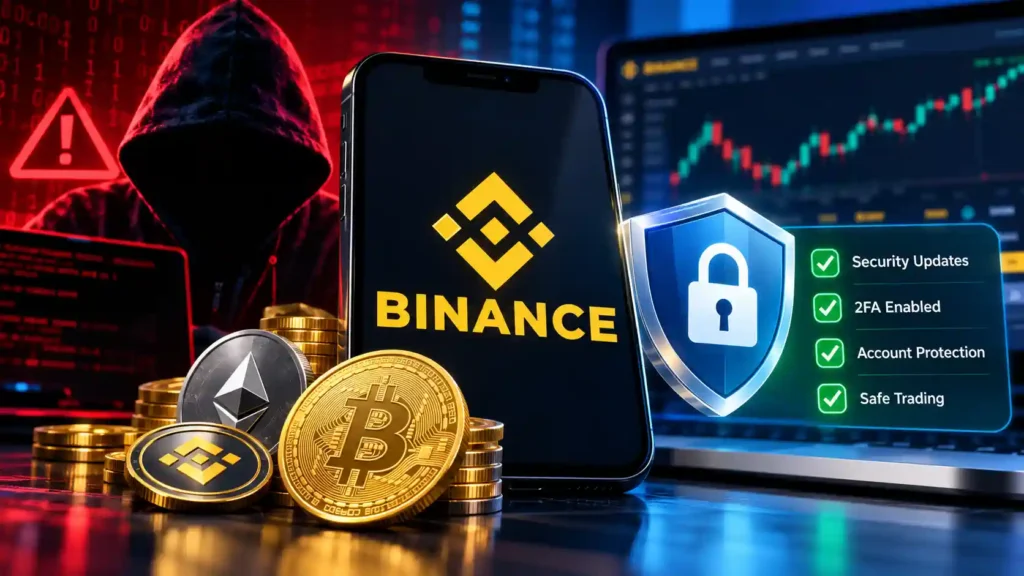
- Replace SMS 2FA with a FIDO2 Passkey or Authenticator App, enable your custom Anti-Phishing Code, and lock down outgoing transfers with a Withdrawal Whitelist.
- Move long-term cryptocurrency savings to an offline hardware wallet so that no single exchange outage or credential leak puts your entire portfolio at risk.
For more hands-on guides to protecting your devices, credentials, and network privacy, explore our complete Mindkoo Cybersecurity archive and our Editorial Policy.